

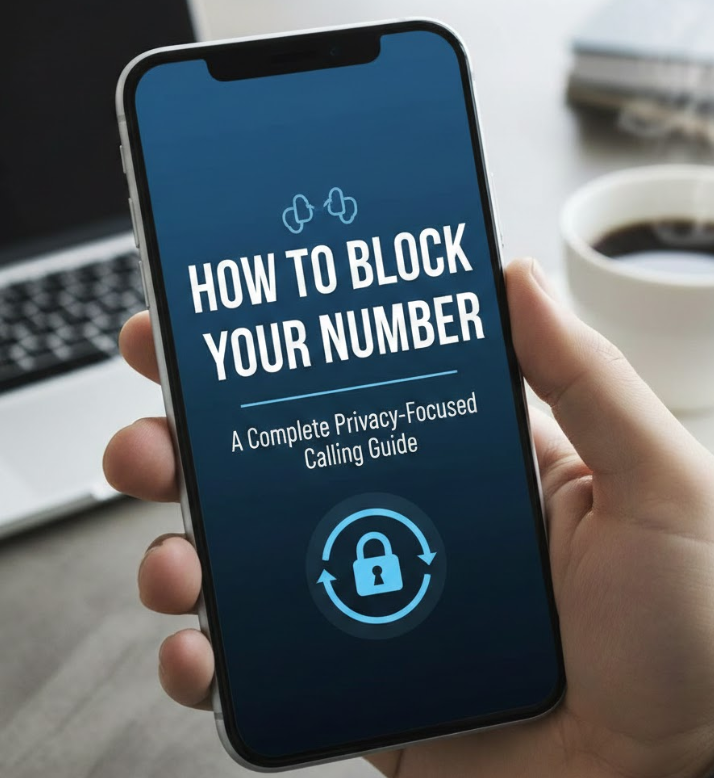
In today’s digital world, phone privacy has become more important than ever. Whether you are contacting a business, calling a stranger, or protecting your identity from unwanted callbacks, learning how to block your number can give you greater control and peace of mind. Many people don’t realize that their phone number is automatically displayed during outgoing calls unless they take specific steps to hide it.
This in-depth guide explains how to block your number when calling, including device-specific instructions, call-by-call methods, and long-term settings. You’ll also learn why blocking caller ID matters, how different networks handle number blocking, and what limitations you should be aware of. Everything is explained clearly, with real-world use cases and practical guidance you can apply immediately.
How to Block Your Number When Calling
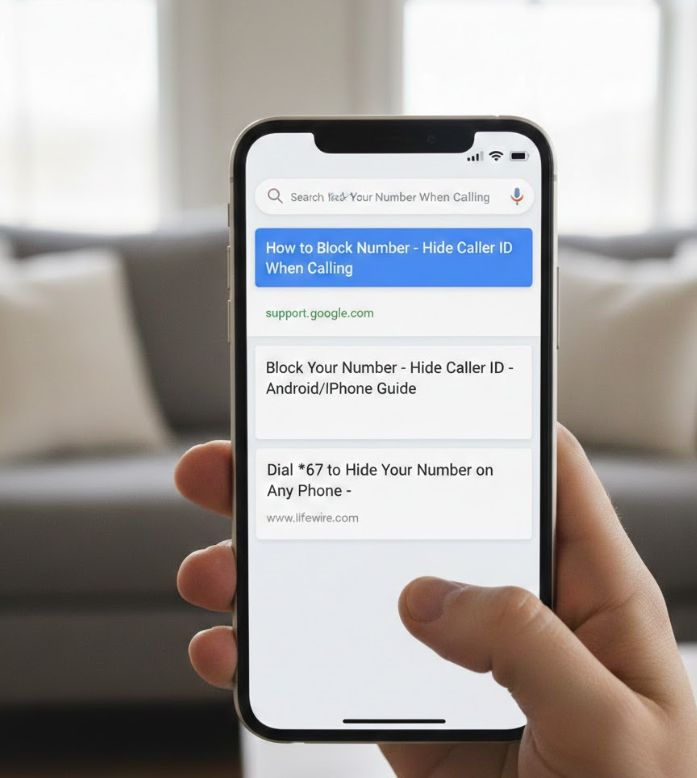
What Caller ID Blocking Means in Real Life
Blocking your number when calling allows you to hide your caller ID so the person receiving the call sees “Private Number,” “Unknown Caller,” or “No Caller ID.” This feature is widely supported by mobile carriers and smartphones, but the exact method can vary depending on your device and region. Understanding how it works ensures you use it responsibly and effectively.
From a privacy perspective, blocking your number helps prevent your contact information from being saved, shared, or misused. It is especially useful for professionals, online sellers, or individuals making one-time calls. However, it’s important to note that emergency services and some businesses may still see your number for security reasons.
Below are detailed, practical methods that explain how to block your number when calling, including technical behavior, best practices, and common mistakes to avoid.
Phone Networks Hide Your Number
• Blocking your number works by temporarily disabling caller ID transmission from your phone to the recipient’s device
When you place a call, your phone normally sends identifying information through the network, including your phone number. Blocking your number interrupts this transmission so the recipient’s phone receives no identifying data. This process happens at the network level, meaning it works even if the recipient uses a different carrier or device. However, the call itself still connects normally, and audio quality remains unaffected. This makes it a reliable privacy tool rather than a workaround or hack.
• Most carriers support temporary number blocking using prefix codes before dialing
Many telecom providers allow you to block your number on a per-call basis by dialing a specific prefix before the phone number. This approach is ideal if you only want to hide your number occasionally rather than permanently. The prefix activates caller ID blocking for that single call only, after which your number returns to normal visibility. This method is widely used and does not require changing phone settings or contacting customer support.
• Blocking your number does not make you anonymous to telecom providers or law enforcement
While the recipient cannot see your number, your carrier still records the call details for billing, security, and legal compliance. This ensures that blocking caller ID is used for privacy rather than illegal anonymity. Understanding this distinction helps set realistic expectations and encourages responsible use. Blocking your number is about controlling visibility, not erasing identity.
• Some recipients automatically reject calls from blocked or private numbers
Many people and businesses enable call-screening features that automatically decline calls from unknown or private numbers. This means your call may not go through, even if you dial correctly. Knowing this in advance helps you decide when blocking your number is appropriate and when transparency might be more effective. For important calls, leaving your number visible may improve response rates.
• Blocking your number is legal in most regions but must be used ethically
In most countries, blocking caller ID is a legal and built-in feature provided by carriers. However, using it for harassment, fraud, or repeated unwanted calls can violate local laws or carrier policies. Ethical use focuses on privacy protection rather than deception. Being mindful of intent ensures you stay within acceptable boundaries.
• The effectiveness of number blocking can depend on network compatibility
Although caller ID blocking works across most networks, some older systems or international carriers may display partial information or fail to recognize the block. This is rare but possible, especially with VoIP or landline connections. Testing the feature with a trusted contact can help confirm how it appears on the receiving end.
Also Read:- How to Clean Dishwasher – The Ultimate Expert Guide for Deep Cleaning, Hygiene, and Long-Lasting Performance
How to Block Your Number on iPhone
Using Prefix Codes to Hide Your Number Temporarily
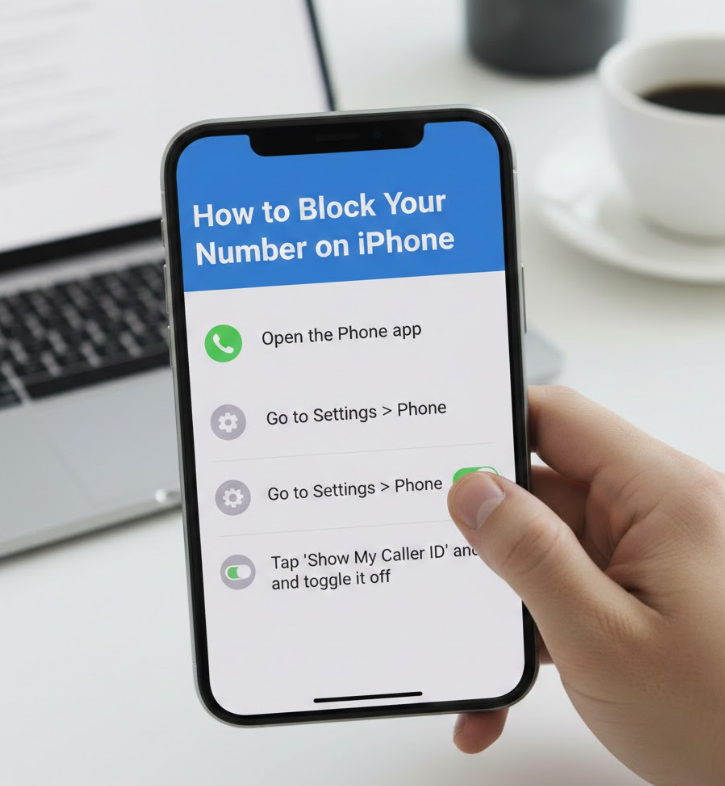
Learning how to block your number on iPhone is essential for Apple users who want a long-term privacy solution. iPhones offer a built-in setting that allows users to disable caller ID for all outgoing calls. This option is deeply integrated into iOS and works seamlessly across supported carriers.
Apple designed this feature with user privacy in mind, making it easy to toggle on or off depending on your needs. Once enabled, every call you make will display as a private or unknown number unless you manually change the setting. This is ideal for users who frequently need to protect their number.
Below is a detailed breakdown of how number blocking works on iPhone, including system behavior, benefits, and potential drawbacks.
• iPhone provides a system-level caller ID toggle that applies to all outgoing calls
Apple includes a “Show My Caller ID” option within the Phone settings menu. When this toggle is turned off, iOS automatically suppresses your number for every call you place. This system-level control ensures consistency and removes the need to enter prefix codes manually. It is especially useful for professionals or individuals who want continuous privacy without repeated steps.
• The setting integrates directly with supported mobile carriers
Not all carriers support caller ID blocking through device settings, but most major providers do. When supported, the iPhone communicates directly with the carrier’s network to suppress your number. If unsupported, the option may appear grayed out or unavailable. In such cases, contacting your carrier can clarify available alternatives.
• Blocking your number on iPhone does not affect incoming calls or messages
Disabling caller ID only changes how your outgoing calls appear to others. You can still receive calls, texts, and FaceTime requests normally. This separation ensures that privacy settings do not interfere with everyday communication. It also means you can maintain accessibility while controlling outbound visibility.
• Certain calls may override caller ID blocking automatically
Emergency calls, carrier services, and some business lines may still receive your number even if caller ID is turned off. This is done for safety, verification, and compliance reasons. Apple and carriers implement these exceptions to ensure critical services function properly. Understanding this helps avoid confusion if your number is visible in rare cases.
• iOS updates can slightly change menu locations or wording
Apple occasionally updates the iOS interface, which may move or rename the caller ID option. While the function remains the same, users should be aware that instructions can vary slightly by iOS version. Keeping your device updated ensures compatibility and access to the latest privacy controls.
Why Some Calls Fail With Blocked Numbers
One of the biggest advantages of iPhone caller ID control is flexibility. You can re-enable number visibility at any time with a single toggle. This allows you to adapt quickly depending on the call context, such as switching between personal and professional communication.
Also Read:- How to Juggle – The Ultimate Expert Guide to Mastering Balance, Coordination, and Control
How to Block Your Number When Making a Call
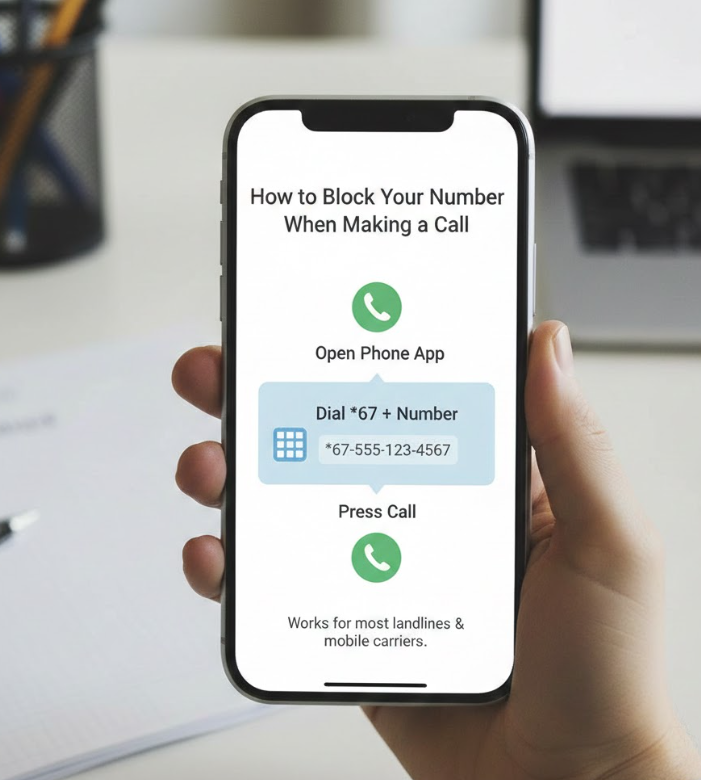
If you don’t want to permanently change your phone settings, learning how to block your number when making a call on a per-call basis is the best option. This method is ideal for occasional privacy needs and works across most smartphones and carriers.
Per-call blocking allows you to decide case by case whether your number should be visible. This flexibility is especially useful when contacting unfamiliar people, online listings, or short-term service providers. It ensures privacy without long-term consequences.
Below are detailed insights into how per-call number blocking works, when to use it, and what to watch out for.
• Per-call blocking uses network prefix codes activated before dialing
By entering a specific code before the phone number, you instruct the carrier to hide your caller ID for that call only. Once the call ends, your number visibility returns to normal. This method is fast, efficient, and does not require changing phone settings. It’s a popular choice for users who value flexibility.
• This method works on both smartphones and basic mobile phones
Unlike device-specific settings, prefix-based blocking works even on older phones. As long as your carrier supports the feature, you can use it regardless of phone model. This makes it a universal solution for temporary caller ID blocking.
• Prefix codes vary by country and carrier
Different regions use different codes, and using the wrong one may result in the call failing or your number remaining visible. It’s important to verify the correct prefix for your carrier. This ensures reliable performance and avoids misunderstandings.
• Per-call blocking does not change saved contacts or call logs
Your phone still records the call normally in your call history. The only difference is how the call appears to the recipient. This means you can track your own activity without revealing your number to others.
• Some automated systems reject calls with blocked caller ID
Customer support lines, verification systems, and secure services may not accept private calls. If your call fails repeatedly, try calling without blocking your number. Understanding these limitations helps you choose the right approach for each situation.
• Using per-call blocking responsibly improves communication outcomes
Blocking your number should be a deliberate choice based on context. Using it sparingly and appropriately ensures it serves as a privacy tool rather than a communication barrier. This balanced approach leads to better call success rates and fewer misunderstandings.
Also Read:- How to Change Oil: The Complete Expert Guide for Engine Protection, Performance, and Longevity
How to Block Your Number When Calling Someone
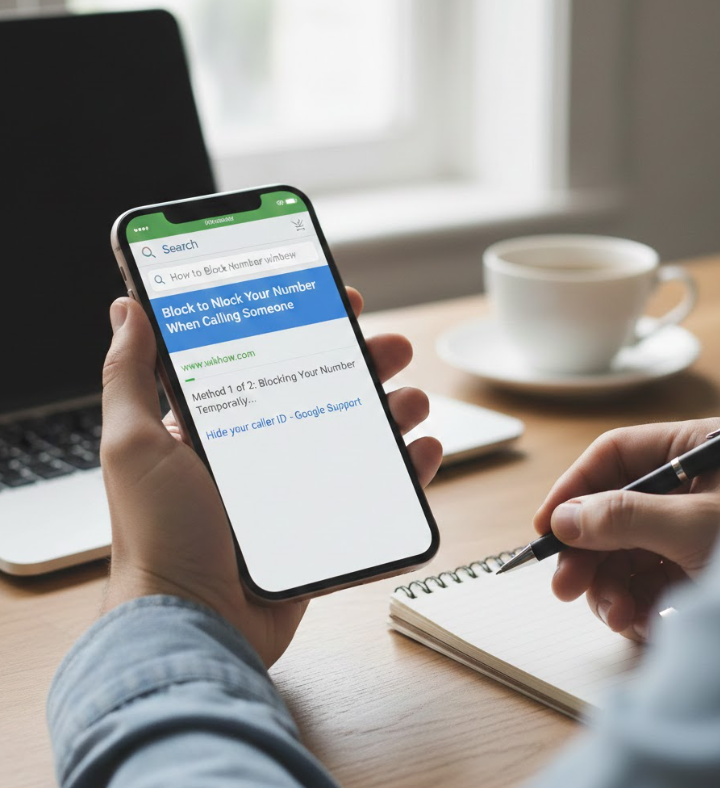
Understanding how to block your number when calling someone involves more than just technical steps—it also requires awareness of social and practical considerations. While the process is simple, the impact on how your call is received can vary widely depending on the recipient.
Blocking your number can protect your identity, but it can also affect trust and response rates. Knowing when and how to use it thoughtfully ensures effective communication while maintaining privacy.
Below are detailed explanations that combine technical knowledge with real-world calling etiquette.
• Blocking your number changes how the recipient perceives the call
Many people associate private numbers with spam or unwanted calls. This perception can influence whether the call is answered. Being aware of this helps you decide when blocking your number is appropriate and when transparency may lead to better results.
• One-time calls benefit most from caller ID blocking
If you are making a single inquiry or contacting someone temporarily, blocking your number prevents future callbacks or misuse. This is common in online marketplaces or short-term services. It allows you to control follow-up communication without confrontation.
• Professional contexts may require careful consideration
In business situations, blocking your number can appear unprofessional or suspicious. Clients and partners often prefer transparency. Evaluating the relationship and purpose of the call ensures your choice aligns with expectations.
• Caller ID blocking does not prevent call recording or tracking by apps
Some recipients use call-recording or call-management apps that log call details regardless of caller ID. Blocking your number only hides your phone number, not the fact that a call occurred. Understanding this distinction helps manage expectations.
• Combining number blocking with respectful communication improves outcomes
If you choose to block your number, being polite and clear during the call can offset initial hesitation. A brief explanation, when appropriate, can build trust even without visible caller ID.
• Knowing alternative privacy options expands your control
In some cases, using a secondary number, VoIP service, or business line may offer better privacy and credibility. Blocking your number is one tool among many, and choosing the right one depends on your goals.
Also Read:- How to Draw a Flower: A Complete Beginner-to-Advanced Drawing Guide
Conclusion
Learning how to block your number empowers you to take control of your phone privacy without sacrificing communication quality. Whether you use iPhone settings, per-call blocking, or situational strategies, understanding how caller ID works helps you make informed decisions. Used responsibly, number blocking is a valuable tool for protecting personal information in an increasingly connected world.
FAQs
Does blocking my number hide my identity completely?
No. It hides your number from the recipient, but carriers and emergency services can still identify the call.
Can I block my number permanently?
Yes, many devices and carriers allow permanent caller ID blocking through settings or account preferences.
Will blocking my number stop spam callbacks?
It prevents recipients from seeing your number, reducing the chance of callbacks, but does not block incoming spam calls.
For More Updates Visit: Biomagazine
